REVIEW · SELF-GUIDED TOURS
Self Guided Scavenger Hunt – Costa Adeje
Book on Viator →Operated by Adventure Hunt · Bookable on Viator
A great walk becomes a game. This self-guided scavenger hunt in Costa Adeje / Las Americas turns everyday streets into clue-solving fun, with the whole experience running on your phone. What I like most is that you bring no equipment and you can pause when you want, instead of being stuck to a rigid group schedule.
Two other wins: the clues are designed to keep things moving (you’re not expected to spend forever stuck on one puzzle), and you can choose between a shorter and longer route depending on energy and heat. The one thing to plan for is that the extended walk can feel longer than the headline numbers, with a little doubling back near the end on some routes.
In This Review
- Key things to know before you start
- Entering the hunt: what makes this feel different from a normal walk
- Starting at C.C. Pueblo Canario: finding the launch point fast
- How the Adventure Hunt app keeps you moving (without special gear)
- Standard vs extended: 21 clues and 2.6 km, or 35 clues and 4.5 km
- What the clue stops are actually like along Las Americas
- Timing and pacing: how to avoid turning it into a chore
- Value for money: why $21.02 per group can make sense
- Who this is best for (and who might prefer something else)
- Practical tips so the hunt feels smooth (not stressful)
- Reviews and real-life lessons: what to expect from common hiccups
- Should you book the Costa Adeje self-guided scavenger hunt?
- FAQ
- How much does the Self Guided Scavenger Hunt – Costa Adeje cost?
- How long does the hunt take?
- What’s included?
- What do I need to bring?
- Do I need any special equipment?
- Where does the hunt start and end?
- What languages is the app available in?
- What are the differences between the standard and extended hunts?
- Is this suitable for children?
- Is there a cancellation option?
- Is it a private experience?
Key things to know before you start
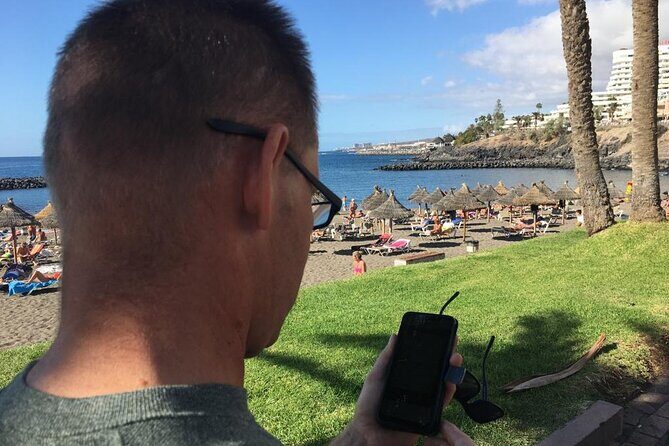
- Smartphone-only play: You access the hunt through the Adventure Hunt app and use your phone’s GPS.
- Two route lengths: Standard is 21 clues over about 2.6 km; extended is 35 clues over about 4.5 km.
- Built for easy progress: If you get stuck, there are hints and even explanations, plus a way to move on.
- Flexible pacing: Take breaks anytime, because it’s self-guided.
- Group size sweet spot: Adventure Hunt is recommended for groups of 2–4.
- Near public transport: You can usually reach the start area without a car.
Entering the hunt: what makes this feel different from a normal walk

This isn’t a guided tour where someone talks at you for two hours. It’s more like a city walk with a mission. You follow clue prompts on your phone, look around for what the clue describes, and then confirm your next step. It’s simple enough for a casual afternoon, but structured enough that you’ll actually notice details you’d normally zip past.
The best part is how the experience stays light. The format is built so you should not be stuck working on one puzzle for ages. You can usually solve, move forward, and keep the momentum going. If that’s not happening, hints are there. And if a clue still doesn’t click, there are explanations so you’re not stuck guessing forever.
This makes it a good match for families and mixed groups. Kids get the game, adults get the wandering, and everyone gets a reason to slow down and look closely.
You can also read our reviews of more guided tours in Tenerife



Starting at C.C. Pueblo Canario: finding the launch point fast
You start at C.C. Pueblo Canario, Av. Eugenio Dominguez Alfonso 1, 38660 Costa Adeje. The activity ends back at the same meeting point, so you don’t have to worry about finishing somewhere unfamiliar.
Because it’s self-guided, the start moment matters. Once you’re at the meeting point, take a minute to:
- verify your app is working
- check GPS
- get a sense of whether you’re doing standard or extended
If you’re traveling in the heat, arriving a bit early is smart. That gives you time to sort out the app without rushing, and it makes the first stretch feel smoother.
How the Adventure Hunt app keeps you moving (without special gear)

Adventure Hunt provides the app, and the hunt runs on your smartphone. There’s no extra equipment to rent, no map to print, and no special camera to carry. You do need a phone with internet access and GPS on, and it helps a lot if your phone is fully charged before you begin.
Inside the app, the rhythm is straightforward:
- A clue appears
- You look around nearby
- You move to the next clue when you’ve figured it out
- If needed, you can use hints
- If you still can’t solve it, explanations are available
One small but important detail: the clues are designed for children over about 12–13, but there’s no restriction on bringing younger kids. In practice, this often turns into a great team activity. Even if a child can’t solve every clue, they can still take part in spotting what the clue is pointing to.
Standard vs extended: 21 clues and 2.6 km, or 35 clues and 4.5 km
You get a choice: the standard route has 21 clues over about 2.6 km, while the extended route has 35 clues over about 4.5 km. Both options are set near the coast, so you’re usually walking with that fresh, sea-air feeling rather than only trudging between busy blocks.
Which one should you pick? Here’s a practical way to decide:
- Choose the standard hunt if you want a relaxed two-ish hours with fewer stops to interpret, or if your group includes younger kids.
- Choose the extended hunt if you want more variety and you’re comfortable with a longer walk.
There’s a review-informed heads-up here that you should take seriously: on the longer route, you may end up walking back on yourself near the end. It’s not a dealbreaker, but it can feel annoying when you’ve already put in the effort. If you’re visiting during warmer hours or your group is on the tighter side for energy, standard may feel like the smarter win.
What the clue stops are actually like along Las Americas
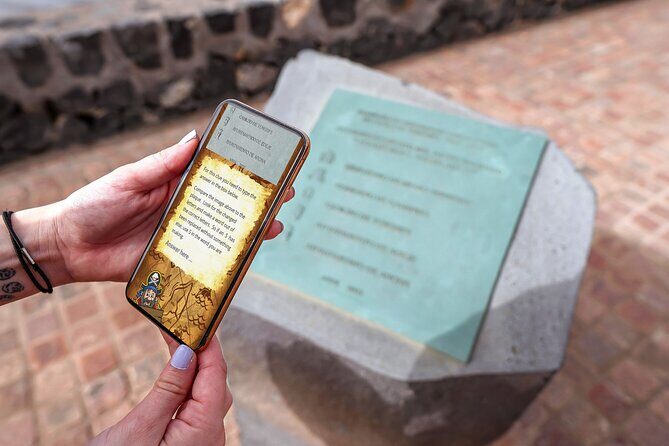
Think of the hunt as a chain of small “look and figure it out” moments around Las Americas. Each clue points you toward a spot nearby, and you confirm your progress in the app. Since both routes are near the coast, you’re not just walking through random backstreets. You’re usually working with an environment where there’s something to see—visual details you can spot, compare, and reason out.
Here’s what you should expect from each phase:
Phase 1: Getting your bearings
The early clues are about getting everyone into the game. You’ll probably solve faster here because you’re fresh and the app workflow is still new. This is a good time to set a simple system in your group, like one person reads the clue out loud and the others scan the area.
Phase 2: The rhythm of short problem-solving
Mid-hunt, the puzzles are designed so you don’t need deep thinking hours. The idea is logic, memory, and attention to detail, but with frequent chances to keep moving. If you’re traveling with teens, they’ll often eat this up. If you’re traveling with younger kids, you can still make it fun by turning it into a spotting game: who finds the best match to the clue fastest.
Phase 3: The part that can feel harder
The last stretch is where it can occasionally get frustrating, mostly because the walk itself is long and you might feel like you’re repeating ground. Also, some clue locations can be less obvious if a post is hard to see or the GPS pinpoint isn’t perfect. When that happens, use the hint option rather than burning time.
That’s the practical strategy: don’t treat it like a test. Treat it like a scavenger walk where the app helps you keep the fun going.






Timing and pacing: how to avoid turning it into a chore
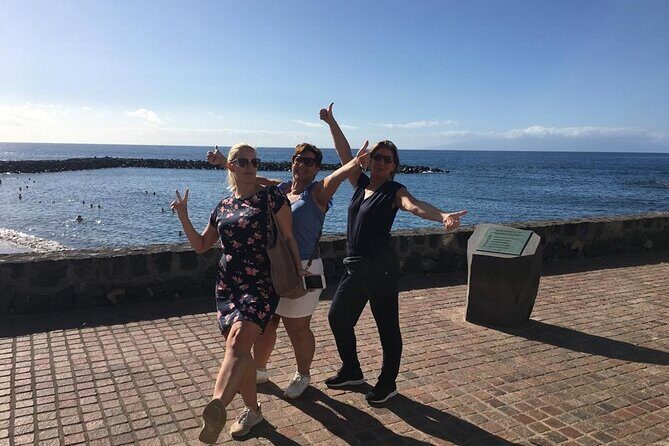
The duration is listed as about 2 hours. In real life, you’ll control whether it stays close to that or stretches longer. The hunt is designed so you’re not stuck more than about 5 minutes per clue, but the actual pace depends on your group, how often you use hints, and how fast you move between clue points.
The game is also flexible because it’s self-guided. That means you can:
- pause for water
- take a quick break if the sun is beating down
- slow down if kids are tired
- speed up if you’re cruising
A good tip for hot days: start earlier in the day and choose standard if you’re worried about getting overheated. One piece of feedback noted that heat can make the experience more challenging, and the nice part is you can adapt by switching to a shorter option if the app offers that choice mid-way.
Value for money: why $21.02 per group can make sense
The price is $21.02 per group (up to 6). On paper, that looks small, and that’s the point. You’re not paying for a guided vehicle or a guide’s hourly time. You’re paying for the app-based game design and the route planning.
Here’s why that matters for value:
- If you’re traveling as a family or small group, the per-person cost can drop fast.
- You get a structured activity that turns sightseeing into something interactive.
- You don’t need to pay for extras like printed maps, equipment rentals, or separate attractions.
The only real cost is the phone battery and your time. Plan for both, and you’ll likely feel like you got your money’s worth.
Who this is best for (and who might prefer something else)
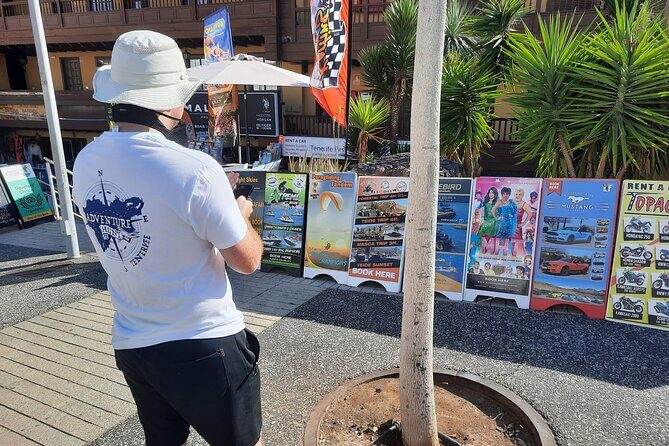
This works best if you like:
- walking at a relaxed pace
- light puzzle-solving
- discovering a neighborhood by following clues
It also tends to be a strong match for mixed-age groups. The puzzles fit the logic level of kids around 12–13, but younger kids can still join because there’s no hard age restriction. You can split roles in a group so everyone contributes.
I’d steer you toward something else if:
- your group hates puzzles or scavenger-style games
- you don’t want to rely on your phone for internet and GPS
- you need guaranteed step-by-step guidance every minute
But if you’re okay using your smartphone as part of the experience, this is a fun, low-cost way to explore Costa Adeje and nearby Las Americas without the pressure of a guided schedule.
Practical tips so the hunt feels smooth (not stressful)
A few small things can make a big difference with GPS-based scavenger hunts:
Use a charged phone
Bring your battery down to almost nothing and you’ll turn a game into a scramble. Start with a fully charged phone.
Pack for the walk
Wear comfortable shoes. Both routes are described as lovely coastal walks, which implies you’ll spend real time on your feet. If you’re doing the extended hunt, that matters even more.
Plan for visibility
If a clue location feels vague, don’t overthink it. Use hints and confirmations in the app and keep moving. One review flagged that some stations weren’t visible clearly and that location precision can vary.
Heat strategy
If it’s warm, choose standard or take breaks early and often. The self-guided setup makes it easy to keep things comfortable instead of pushing through.
Keep clue-solving teamwork simple
Assign one person to read each clue, and let the others scan. If someone solves too early, stop and check together so the team stays aligned.
Reviews and real-life lessons: what to expect from common hiccups
The overall rating is strong, with most people recommending the experience. That usually means the format works, the app is usable, and the walk feels engaging.
The two most common practical issues to keep in mind are:
- The extended route can end with some doubling back, which can feel odd late in the walk.
- Some clue points may be harder to see, or GPS might not be perfectly precise, which can slow you down if you get stubborn.
These aren’t dealbreakers. They’re exactly the kind of hiccups you can plan for by using hints, staying flexible, and not treating each clue like a fixed treasure location.
Should you book the Costa Adeje self-guided scavenger hunt?
Book it if you want an inexpensive, interactive way to see Las Americas on foot. The smartphone-only format lowers friction, and the option to choose standard or extended lets you match the route length to your energy and the weather.
I’d skip it if your group hates puzzles, you’re worried about phone battery or internet/GPS reliability, or you only want a traditional guided itinerary. This experience is built for people who like to wander with a goal.
If you’re traveling with kids, mixed ages, or friends who enjoy playful challenges, this is a solid choice. It’s the kind of activity that turns a normal afternoon into something you’ll remember, mostly because you were the ones doing the discovering.
FAQ
How much does the Self Guided Scavenger Hunt – Costa Adeje cost?
It costs $21.02 per group, up to 6 people.
How long does the hunt take?
Plan for about 2 hours (approx.).
What’s included?
You get access to the Adventure Hunt app.
What do I need to bring?
You need a mobile phone with access to the internet and GPS. A fully charged phone helps.
Do I need any special equipment?
No equipment is needed beyond your smartphone.
Where does the hunt start and end?
It starts at C.C. Pueblo Canario on Av. Eugenio Dominguez Alfonso in Costa Adeje, and it ends back at the same meeting point.
What languages is the app available in?
The app is available in English, Spanish, Italian, French, German, and Dutch.
What are the differences between the standard and extended hunts?
The standard hunt has 21 clues over about 2.6 km. The extended hunt has 35 clues over about 4.5 km.
Is this suitable for children?
The clues are designed for children over about 12–13, but there is no restriction on taking younger children.
Is there a cancellation option?
Yes. You can cancel for a full refund up to 24 hours before the experience start time.
Is it a private experience?
Yes. It’s a private tour/activity, and only your group participates.